
How to Apply Built-in Activity Filters

Four supplied filters sit on the Filter button of the Views tab, together with any filters you have saved.
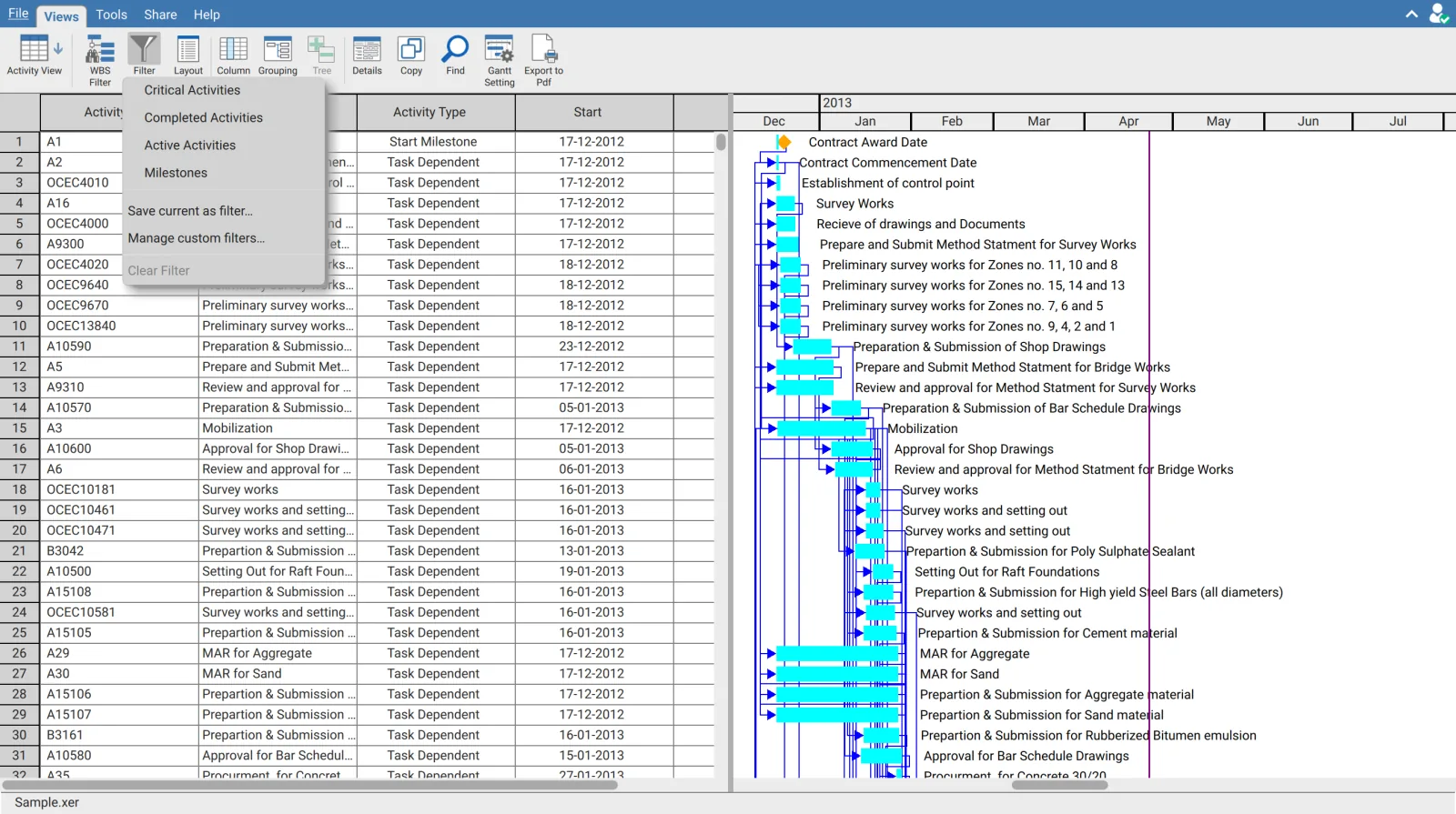
| Filter | Shows | Use |
|---|---|---|
| Critical Activities | Activities on the critical path | Reviewing what drives the completion date |
| Completed Activities | Activities already finished | Checking progress claimed to date |
| Active Activities | Activities in progress | Preparing a look ahead or a coordination meeting |
| Milestones | Zero duration activities only | Reporting against contract dates |
One filter at a time
The entries are checkable and share a single active filter. Selecting a second replaces the first rather than narrowing further, and selecting the checked entry again clears it. There is no way to apply two supplied filters together.
To combine conditions, build an expression filter on a column instead. Critical activities for one contractor is two column conditions, not two menu entries. See Filter and sort on a column.
Your saved filters appear here too
Filters you have saved are listed on the same menu below the four supplied ones, and behave the same way. They occupy the same single slot, so a saved filter replaces a supplied one and the reverse. See Save and manage custom filters.
Clear Filter
Clear Filter is disabled unless a filter is applied, which is a reliable way to confirm whether one is active without reading the row count.
Activity filters are separate from column filters
Clearing an activity filter leaves any column filter in place, and the reverse. If activities are still missing after Clear Filter, check the column headers and the WBS Filter button.
Filters apply to the Gantt as well
The table and the Gantt chart share one row list, so an applied filter removes the bars along with the rows. A filtered Gantt is what most printed critical path extracts are produced from.