
Open and View Primavera P6 (.XER) Files Online
Inspect, navigate, and analyze Oracle Primavera P6 schedules directly in your browser. Powered by client-side WebAssembly for instant loading with 100% data privacy.
Why Most "Online Viewers" Put Your Schedule at Risk
Understanding the critical difference between legacy cloud viewers and XER Reader WebAssembly architecture.
Server-Side Upload Model
Conventional web tools require you to transmit your schedule file to their remote cloud servers. Once uploaded, your project data is vulnerable:
- Schedules stored indefinitely on unknown third-party servers
- Violates enterprise confidentiality, NDAs, and defense regulations
- Slow upload speeds and timeouts on 50MB+ schedule files
Client-Side In-Memory Sandbox
XER Reader processes your project schedules directly inside your browser. All parsing and calculations run locally in memory:
- Files stay 100% on your machine in local browser RAM
- Fully compliant with enterprise data protection standards
- Instantaneous loading even on massive 50,000+ activity projects
Desktop Power Inside Your Web Browser
No software installation required. Access all essential schedule inspection tools directly online.
Drag-and-Drop Ingestion
Simply drag and drop any Oracle Primavera P6 .xer or P6 XML file into the browser window. The file parses directly inside your local browser memory without server bottlenecks.
Full Synchronized Gantt
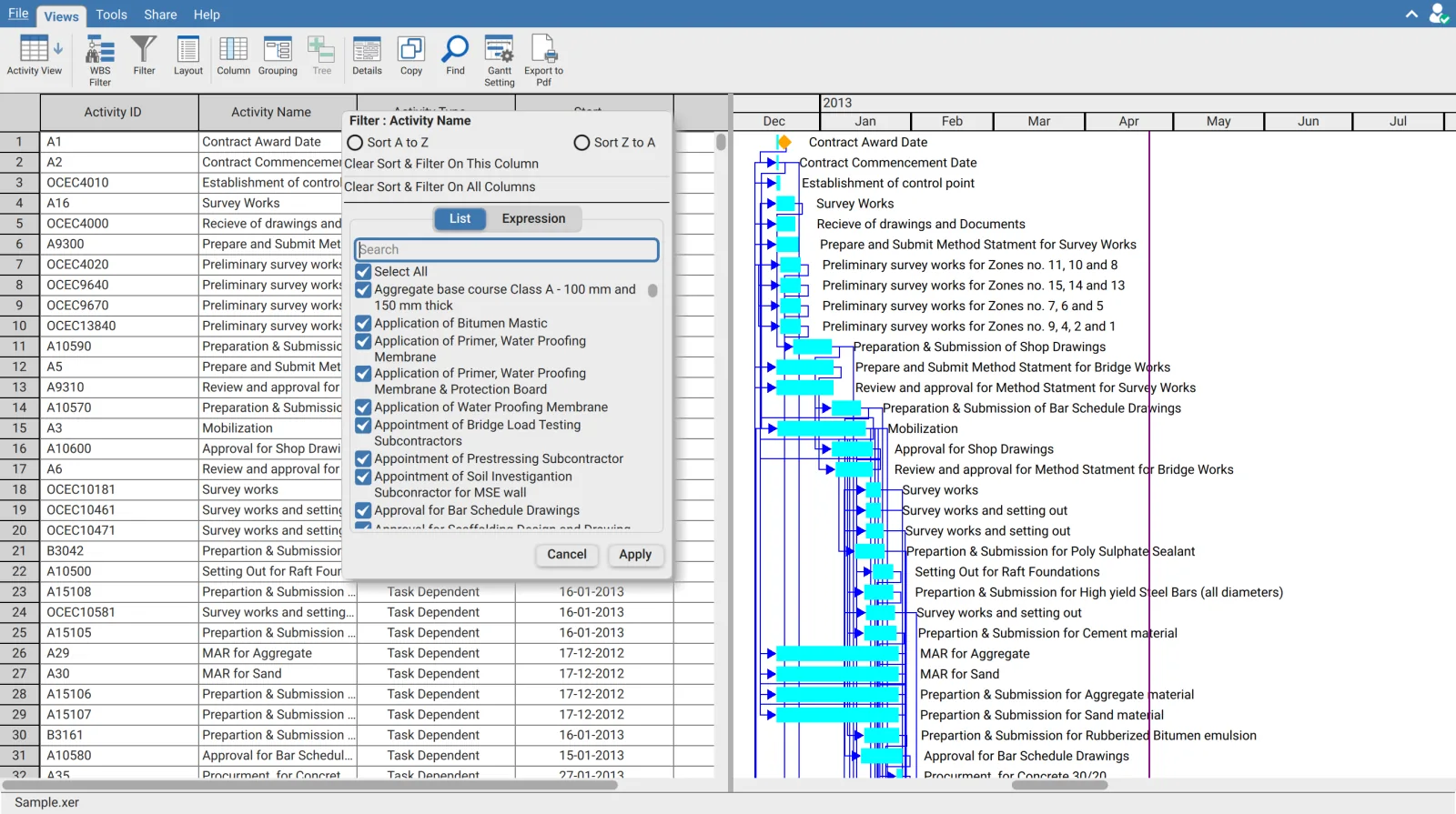
Explore activities and the Gantt timeline in perfect synchronicity. Adjust timescale zoom from individual shifts up to multi-year program overviews.
Critical Path & Float Analysis
Instantly highlight driving critical path activities, inspect total float, free float, and review relationship logic with predecessor and successor arrows.
WBS Filtering & Search
Drill down through the Work Breakdown Structure with an intuitive WBS drawer. Apply Excel-style column filters and instant activity code searches.
Baseline Comparisons
Overlay target, project, and user baselines on the Gantt chart to analyze schedule variance, slipped finish milestones, and duration changes.
Password-Protected Sharing
With XER Reader Cloud, publish an interactive web schedule link protected by end-to-end encryption and custom passwords for external project partners.
Works on Modern Browsers and Any Device
Because XER Reader Web runs entirely in modern web browsers, it operates smoothly across all major platforms without plugins or extra software.
Frequently Asked Questions About the Web Viewer
Do my files get uploaded to any server when opening a schedule online?
Do I need to install plugins or Oracle Primavera P6?
Is there an activity limit for the web viewer?
Can I open Microsoft Project files in the web viewer?
Can I share schedules with clients using a web link?
Start Viewing Primavera P6 Schedules Right Now
Open the web viewer directly in your browser. Drag and drop your .xer file for secure, completely confidential schedule viewing.