
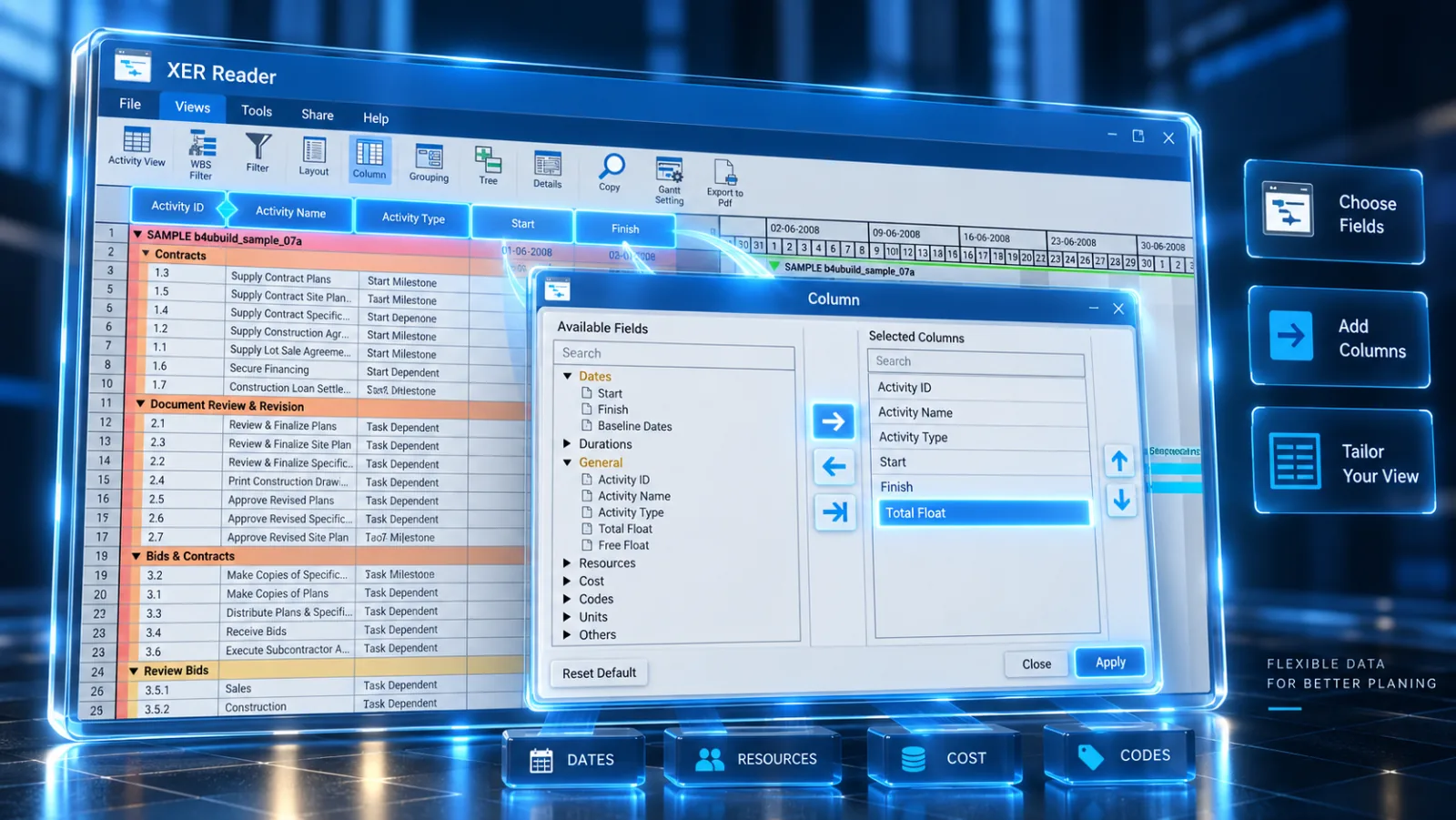
Customize which data fields are displayed in the Activity Table to focus on the exact schedule metrics required for your review.
Steps to Customize Columns
-
Select the Tools tab in the ribbon and click Column.

-
In the Available Columns list (left), find the desired field (e.g., Total Float, Early Start, or Resource Names).
-
Click the > button to move it to the Selected Columns list (right).
-
Use the Up and Down buttons to adjust column order, then click OK.
Commonly Used Columns
| Field | Purpose |
|---|---|
| Activity ID & Name | Unique identifier and task description. |
| Total Float | Identifies critical path tasks (Float ≤ 0). |
| Start & Finish | Early and actual execution schedule dates. |
| Physical % Complete | Current recorded progress on active tasks. |